
Christmas Lightroom Presets & LUTs: How to Edit Holiday Lights (2026)
Christmas photos need a warm look that keeps the lights golden, the reds rich and the skin natural. The main thing when you shoot: don’t blow out the string lights. Keep exposure a little low and white balance around 3500-4500 K, and the lights stay warm without going orange. For the holidays we have six packs: CHRISTMAS for the tree, markets, the ice rink and home (golden lights, deep reds, rich pine green), IVORY for a light Christmas in white and cream, VELVET for a dark velvet one, HEARTH for candlelit coziness, MIDNIGHT for New Year’s Eve (champagne-gold lights, blue shadows) and CONFETTI for parties shot with flash. From our other packs, NEON MILE suits the city at night and TRUE DEPTH phone shots. They all open in the free Lightroom mobile app, and the .cube LUT from the same pack works for holiday Reels.

 beforeafter

 beforeafter

 beforeafter

 beforeafter
 beforeafter
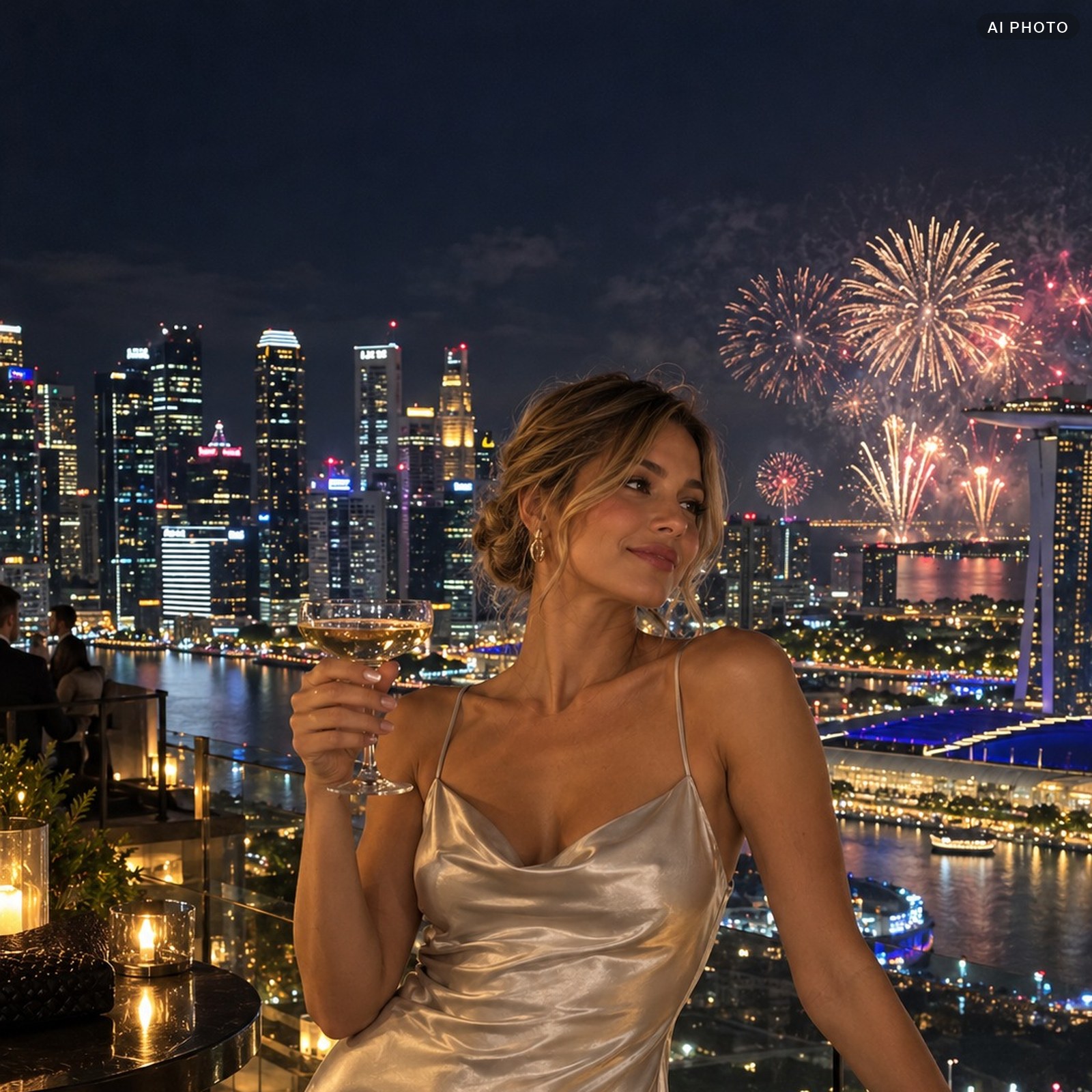
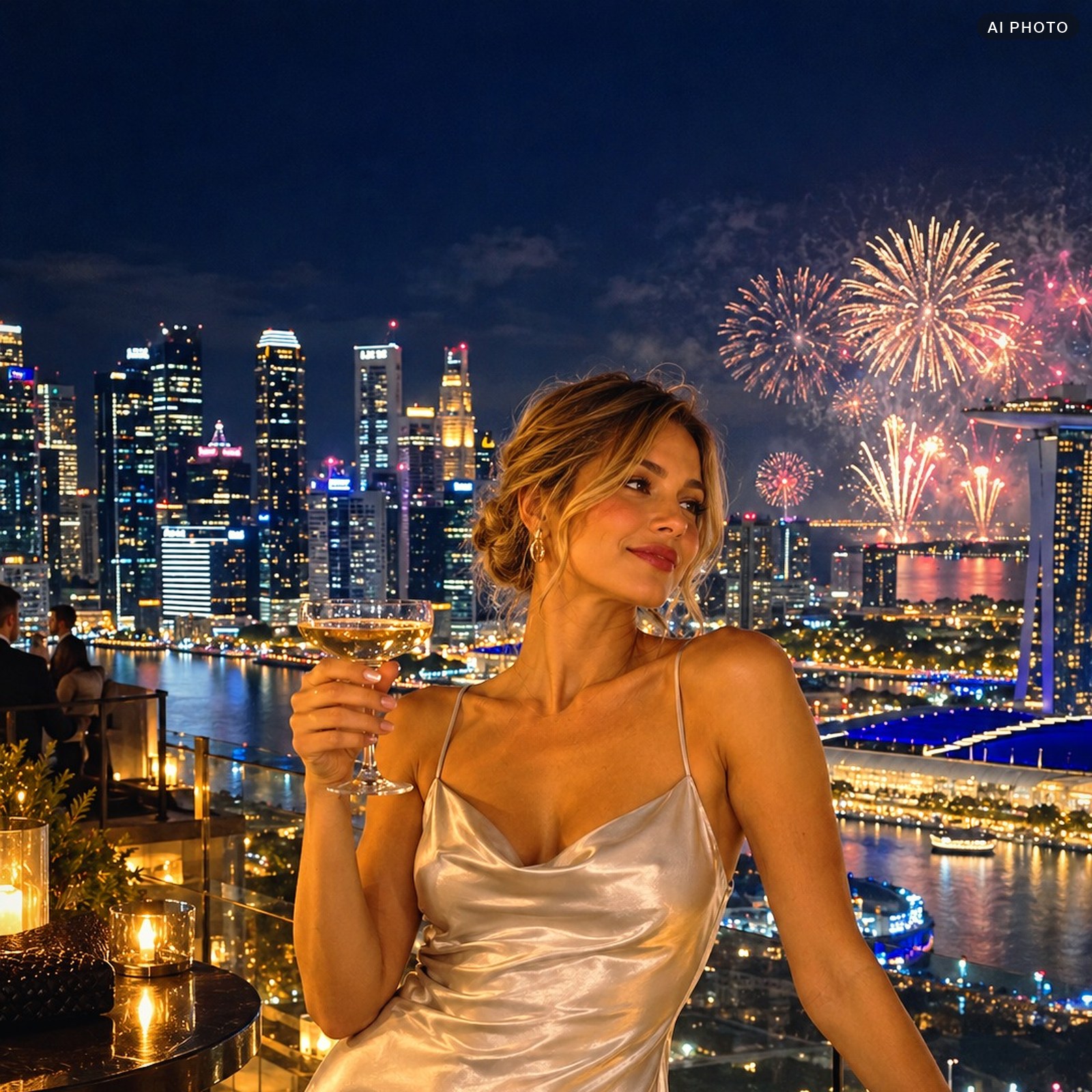
MIDNIGHT
Sapphire night, golden lights, bright faces: a New Year’s Eve preset in two strengths.
 beforeafter
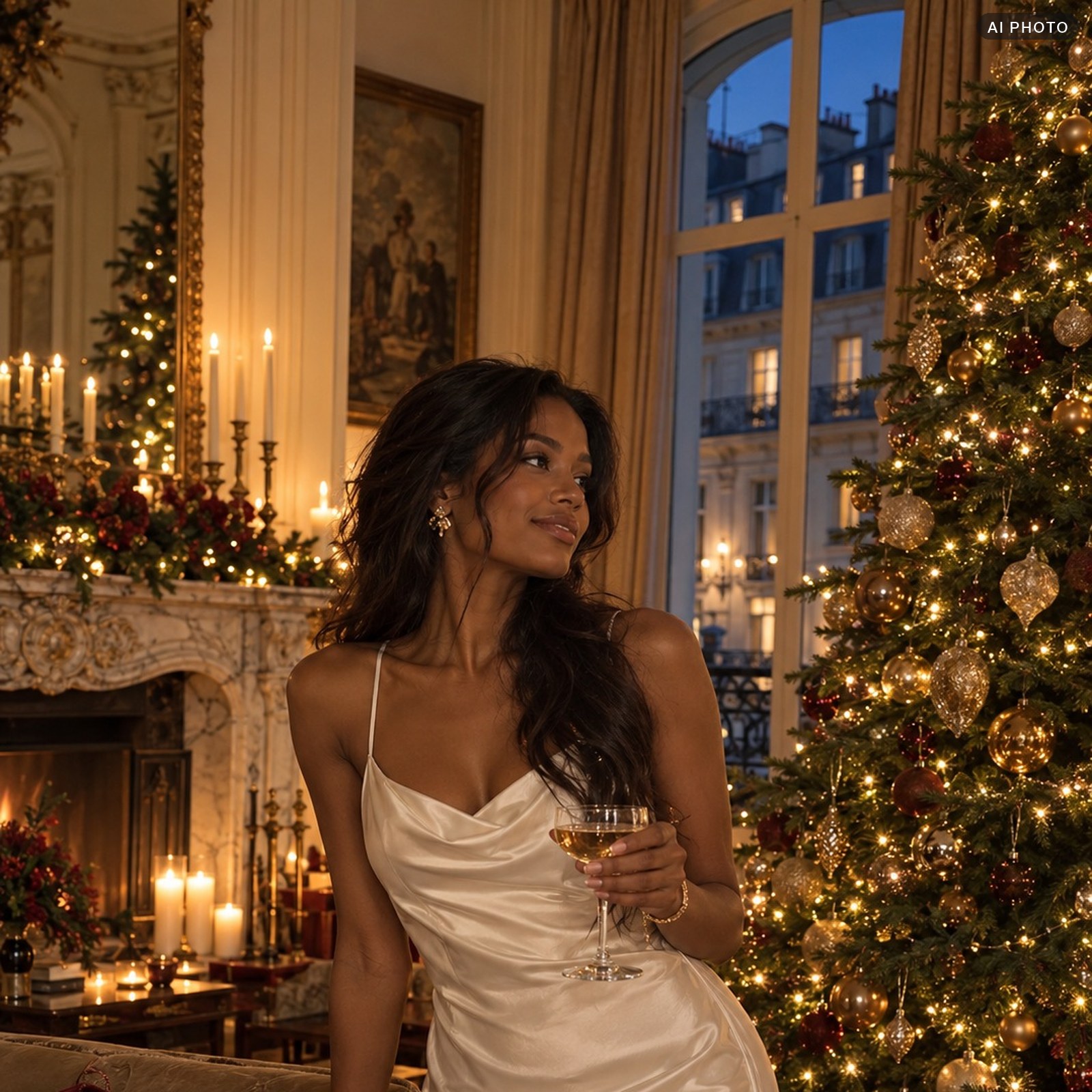
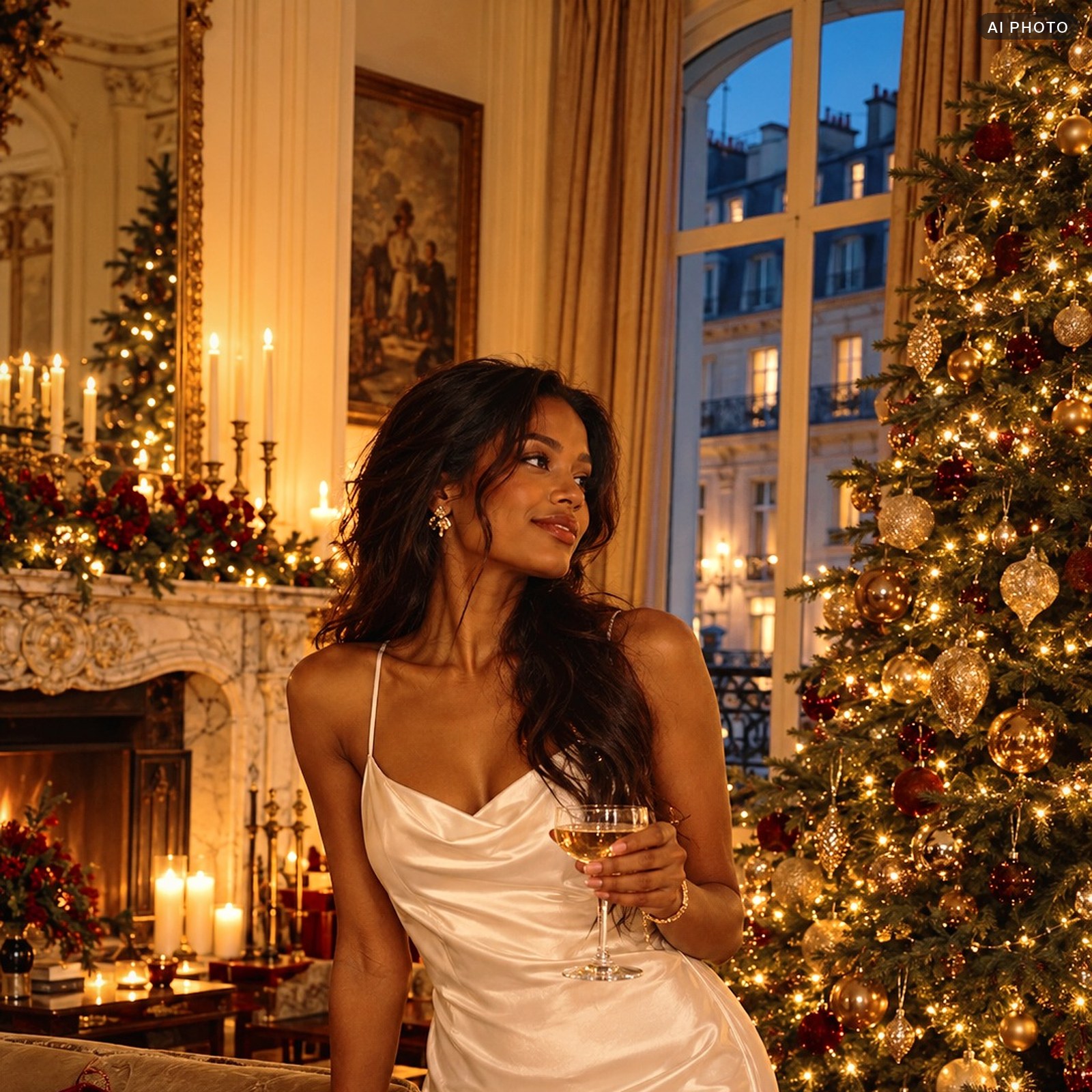
CHRISTMAS
Warm lights, velvet red, bright faces: a Christmas preset in two strengths.
Other themes
Below: which pack suits which holiday shot, my test on five frames with lights and red decor, why Christmas lights turn yellow or green in photos, and how to edit Christmas photos on your phone.
Which pack for which holiday shot
| Scene | Pack | What it does | Formats | Price |
|---|---|---|---|---|
| Tree, Christmas market, ice rink, home, gifts | CHRISTMAS | Golden lights, reds 25 to 45 % richer, deeper pine green, warm skin that doesn’t turn orange | .xmp · .dng · .cube, main and Soft | $9 |
| A light Christmas: white trees, fur, cream | IVORY | Clean whites, whiter lights, lighter and calmer reds | .xmp · .dng · .cube, main and Soft | $9 |
| A dark Christmas: velvet, evening, dinner | VELVET | Reds 20 to 35 % richer, deeper pine, velvet shadows | .xmp · .dng · .cube, main and Soft | $9 |
| Candles, fireplace, tea, home at night | HEARTH | Warmer whites and lights, reds 30 to 40 % richer, a grey room turns warm | .xmp · .dng · .cube, main and Soft | $9 |
| New Year’s Eve, champagne, fireworks, parties | MIDNIGHT | Champagne-gold lights, blue shadows, strong contrast, brighter faces | .xmp · .dng · .cube, main and Soft | $9 |
| Parties with flash, sequins, champagne | CONFETTI | The richest: reds 45 to 70 % richer, brighter gold and sequins, whites turn noticeably yellow | .xmp · .dng · .cube, main and Soft | $9 |
| String lights, Christmas market, city at night | NEON MILE | Reds and whites warmer and brighter, lights golden. The LUT brightens a dark sky a lot | .xmp · .dng · .cube | $9 |
Our older packs work for the holidays too: VALET (soft and cozy), HAVANA (warm vintage film) and TRUE DEPTH (phone shots). The test below shows what each one does.
What not to use on decor: the SNOW AIR look from CHROMA MOBILE (reds go brown) and the cool COLD START and ASPHALT (warm lights go cold). Those are for snow and winter cities: see winter Lightroom presets.


My test: five frames with lights and red decor
I apply each pack’s LUT (the .cube file from the archive) to five of my own shots: a Christmas wreath with pine cones and red berries, a church with red oil lamps, a hall with chandeliers, a city at night and a decorated shop window. Then I measure what happens to the reds, the whites and the lights.
- CHRISTMAS: a brighter frame, reds 25 to 45 % richer, deeper and greener pine, warm lights. White walls and tablecloths barely turn yellow.
- IVORY: a brighter frame, white walls and lights turn cleaner and whiter, reds lighter and calmer (only 10 to 20 % richer). A light, snowy Christmas rather than a bright postcard.
- VELVET: reds 20 to 35 % richer, deeper pine, whites that barely turn yellow. On these frames it’s about as bright as CHRISTMAS; the velvet depth shows where there’s a lot of shadow in the frame.
- HEARTH: whites and lights turn noticeably warmer, reds 30 to 40 % richer, a brighter frame. That’s the idea: a grey room becomes a candlelit one.
- MIDNIGHT: on these frames it lands close to CHRISTMAS: brighter, richer reds, whites that barely turn yellow. The difference is in the recipe: blue shadows and stronger contrast, built for night, fireworks and parties.
- CONFETTI: the richest pack in the test: reds 45 to 70 % richer, brighter lights and gold, whites that turn noticeably yellow. It’s for parties with flash and sequins; for white dresses and tablecloths use the Soft version or move Temp left.
- NEON MILE: reds 5 to 25 % richer, white walls and tablecloths turn warm and creamy, lights go golden. On the night city the LUT brightens the dark sky a lot and adds a teal haze. Keep the sky small in the frame or turn the LUT down. The catch: on a face in close-up under warm lights, skin goes darker and orange, dark skin most of all. For portraits, pull the orange back after the preset.
- VALET: reds lighter and richer, open shadows, warm lights, whites a touch darker and warmer. The coziest of the older packs: home, tree, people. White sweaters and walls turn noticeably yellow: if white has to stay white, move Temp left.
- HAVANA: a darker, calmer frame, deeper and slightly muted reds, warm lights. Vintage film rather than a bright postcard.
- TRUE DEPTH: colors almost as they were, reds a little richer, lights unchanged. For phone shooters who want a natural frame.
- SNOW AIR, for contrast: red saturation drops four to six times, berries and baubles turn brownish grey. Don’t use it on decor.
These are LUT measurements, which is what you get on video. The .xmp preset is built separately for the same look, so photos land close in color but not identical.


Why Christmas lights turn yellow, green or into white blobs
- White blobs instead of lights. The bulbs are blown out and their color is gone. On a phone, tap the brightest string of lights and drag the exposure sun down. In Lightroom, Highlights −40 to −70 and Whites below zero.
- Yellow or orange lights. White balance is too warm. Move Temp left until the lights turn golden. Below 3200 K the lights go white, above 5000 K they go orange.
- A green cast. LEDs and mixed light often add green. Move Tint right by +5 to +15. The NEON MILE preset has Tint at −6: if lights or signs look green, set it back to zero.
- A black sky. Shoot at blue hour, 15 to 30 minutes after sunset: the sky is still blue and the lights are already on. That frame looks far better than night against black.
How to edit Christmas photos on your phone
- Protect the highlights when you shoot. Better a little dark: Lightroom can lift shadows, but blown lights are gone.
- Apply the preset. In free Lightroom, open the .dng from the archive, ⋯ → Copy Settings, open your photo → Paste Settings. Full walkthrough in how to install presets in Lightroom mobile.
- White balance for your light. A preset doesn’t know what light you shot in. Under warm string lights you usually need a little cooler; by a window in daylight, a little warmer.
- The lights. Pull Highlights left until the bulbs get their color back.
- The reds. If berries and baubles shout, Color → Mix → Red, Saturation −10 to −20. If they look dull, go the other way.
- Skin. Under string lights faces easily turn orange. Color → Mix → Orange, Saturation −5 to −15.
Christmas LUTs for Reels and video
Every paid pack includes a .cube LUT: in Premiere Pro it goes in Lumetri → Creative → Look, and DaVinci Resolve, Final Cut and CapCut desktop read it too. The LUTs expect standard Rec.709 footage, so convert LOG to Rec.709 first. On night clips the NEON MILE LUT brightens dark areas a lot, so start at about half strength (the Intensity slider in Premiere). More on grading clips in how to color grade Instagram Reels.
Frequently asked questions
Which presets work best for Christmas lights photos?
Warm ones that keep the lights golden and the skin natural. For the tree, markets and home, CHRISTMAS; for a light Christmas, IVORY; for a dark velvet one, VELVET; for candlelit coziness, HEARTH; for New Year’s Eve, MIDNIGHT; for parties shot with flash, CONFETTI. From our other packs, NEON MILE for the city at night and TRUE DEPTH for phone shots. Skip cool looks on string lights: the lights go cold.
How do I edit Christmas photos on my phone?
Open the pack’s .dng in free Lightroom, copy its settings and paste them onto your photo. Then set white balance for your light, pull Highlights down to bring color back into the bulbs and, if needed, take the orange out of the skin.
Why do Christmas lights look yellow or green in photos?
Yellow comes from white balance that’s too warm: move Temp left. Green comes from LEDs and mixed light: move Tint right by +5 to +15. White blobs instead of lights mean blown highlights: shoot darker and pull Highlights down.
Is there a Christmas LUT for Reels or Premiere Pro?
Yes, every paid pack includes a .cube LUT for Premiere Pro, DaVinci Resolve, Final Cut and CapCut desktop. The holiday LUTs brighten dark areas noticeably, and CONFETTI and HEARTH also warm the whites, so start at half strength on night clips. Convert LOG footage to Rec.709 first.
Are there free Christmas Lightroom presets?
We don’t have a separate free Christmas look. The free CHROMA Starter comes by e-mail: five looks as .xmp and .dng plus two LUTs. It’s an easy way to see how presets install on your phone.
Can I use the presets for client holiday mini sessions?
Yes, the presets and LUTs can be used in personal and commercial shoots. What you can’t do is resell or share the files themselves.
Where else to get free presets without the risks: free Lightroom presets. Every pack in one table: best Lightroom presets.
GradeColor packs: a Lightroom preset, a .dng for your phone and a LUT for video in one look, from $2.99.